Who should get this

Photo: Sarah Kobos
When you’re using a computer, the top of the screen should be just above eye level, and your keyboard should be just below elbow level. This arrangement isn’t possible with a laptop alone: Because its screen and keyboard are so close together, you either have to hunch forward and crane your neck or raise your hands and arms, straining your shoulders and wrists—sometimes both at the same time. If you use your laptop for long periods, you should raise your screen or lower your keyboard—most likely do both.
Raising your gaze by using a standalone monitor is ideal—many monitors have a larger height range than a laptop on a stand, and a bigger screen gives you more room to work—but if you don’t have the budget or space, the next best thing for your posture and health is a laptop stand plus a separate keyboard and mouse.
If a laptop stand just isn’t in your budget, you can use pretty much anything to raise your laptop screen to eye level. We like books—except for stability, they’re just as effective as any fixed laptop stand. We recommend using wide, flat books (think textbooks, cookbooks, or coffee-table books) to create a stable base.
How we picked and tested
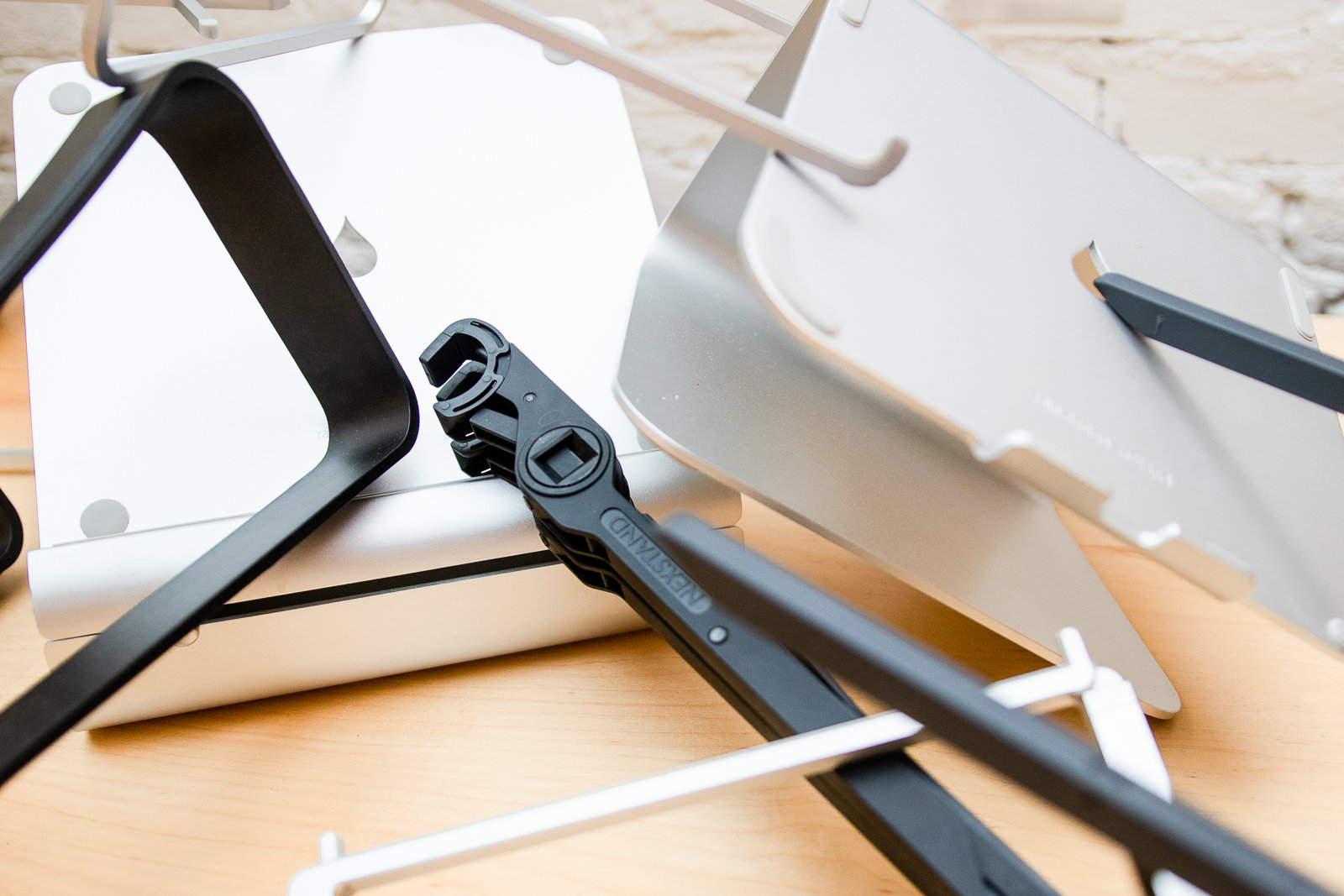
Photo: Sarah Kobos
To learn about ideal workstation setups, we referred to the work of ergonomics expert Alan Hedge, director of the Human Factors and Ergonomics teaching and research programs at Cornell University and editor of Ergonomic Workplace Design for Health, Wellness, and Productivity. Based on this research, these are the features you should look for in a good laptop stand, in rough order of importance:
- Height: A laptop stand should raise your laptop so that your eye level is 1 to 2 inches below the top of your screen when you’re sitting (or standing) up straight. (Do not use your laptop’s keyboard and trackpad when it’s propped up on a stand, which is no better than hunching over the laptop on your desk. Instead, use an external keyboard and a separate mouse or trackpad.)
- Adjustability: Everyone has a different body, a different laptop, and a different desk setup, so a single fixed-height laptop stand won’t work for everyone. If you work at a sit/stand desk, you need to be able to adjust the height of the screen to account for your sitting and standing postures. This means that most people should get an adjustable laptop stand so that they can tweak the laptop’s height as needed, but even a non-adjustable stand is an improvement over nothing.
- Build quality: A stand designed to hold your expensive laptop must be sturdy, and it shouldn’t wobble or shake while you’re typing on a nearby keyboard. You should be able to use the stand with a laptop of any size, too, though 17-inch laptops are too big for most stands.
- Appearance: The stand shouldn’t be too ugly, since you have to look at it all the time.
- Cable management: A centrally located space in the back of the laptop stand for cables and cords to run through is a nice bonus, so that your workspace feels contained and clean, even when your work doesn’t.
For portable laptop stands, we considered height, adjustability, build quality, and also the following:
- Size and weight: Since you should be able to throw your portable laptop stand into your backpack or bag without much hassle, it should be as light and compact as possible.
- Ease of use: A portable stand should be quick and simple to set up and break down without pinching your fingers.
We also evaluated the appearance and cable management (if there was any) of portable stands.
With those criteria in mind, we looked at 70 models and tested six new models plus our three previous picks, in addition to the 11 we tested in 2016. Five were adjustable laptop stands: the Rain Design iLevel 2, Rain Design mBar pro+, the Roost, the Nexstand, and the AVLT-Power laptop stand. Four were non-adjustable: the Rain Design mStand, Rain Design mBar, Rain Design mBar pro, and the Twelve South Curve. We tested each model with a variety of laptops—from compact 11-inch Chromebooks to bulky 15-inch gaming laptops—on a variety of desks, and we’ve been using our picks in a coworking space and in our home offices for years.
Our pick: Rain Design iLevel 2
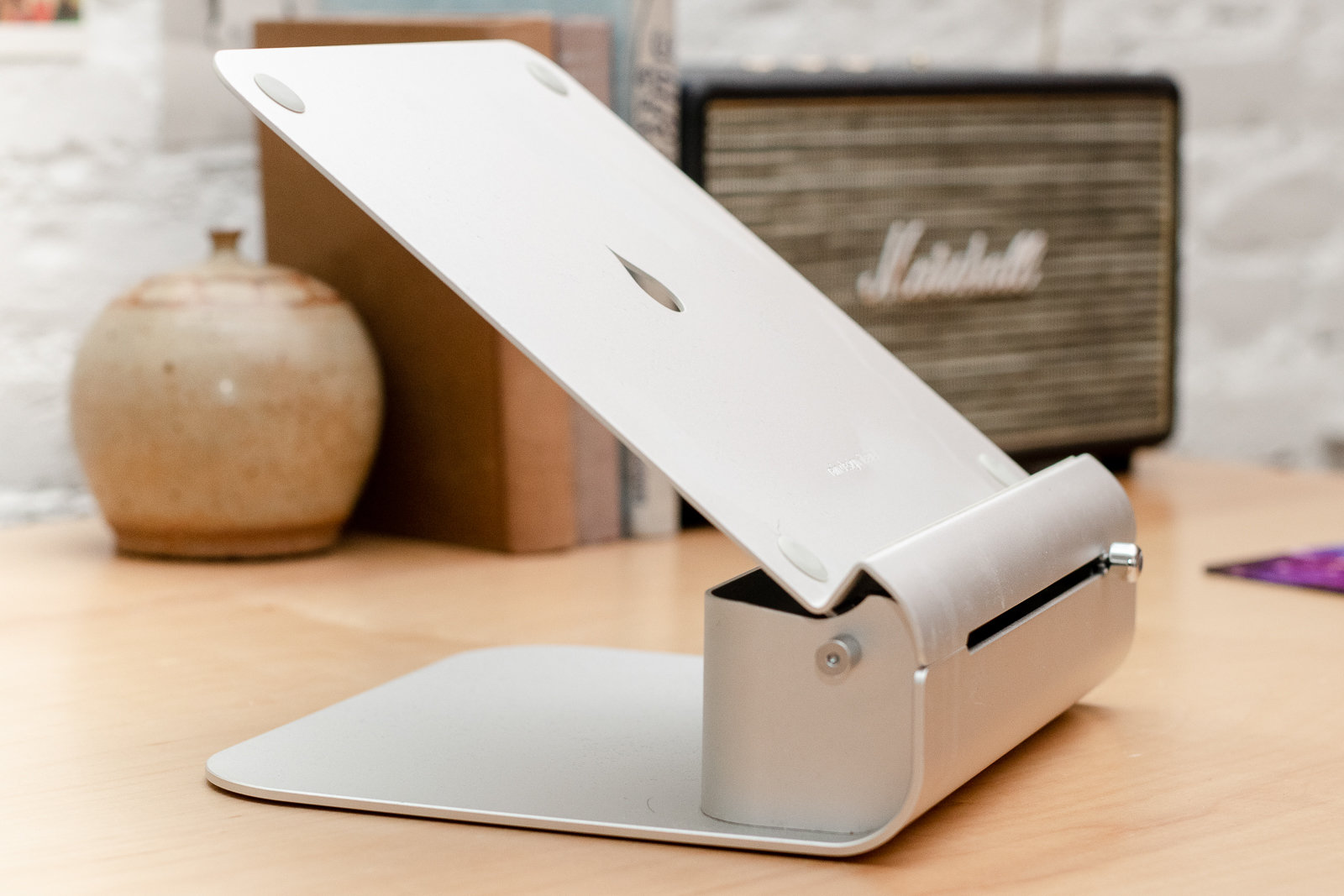
Photo: Sarah Kobos
The Rain Design iLevel 2 is the best laptop stand for the widest range of people and laptops thanks to its simple, sturdy design of anodized aluminum and its easy-to-use adjustment knob. No other laptop stand we tested was as quick and simple to set up for different heights, laptops, and postures. It also looks nice sitting on your desk.
Though the range will vary slightly depending on the depth of your laptop, the iLevel 2 raises the back of a laptop (where the hinge is) roughly 6 inches above the desk surface on its lowest setting and about 7¾ inches at its highest level. That range is tall enough to raise a laptop to eye level for most people sitting at a desk. Quickly switching between height settings is also easier to do than with other stands we tested.
The iLevel 2’s laptop platform tilts upward when you slide a knob on the front of the stand from the left to the right; the stand lowers your laptop when you slide the knob back to the left. Other stands we tested previously—such as the Furinno and Aidata models—had complicated, confusing, or unstable height-adjustment options.
If you frequently transition between sitting and standing, and if you’re over 5 feet 8 inches tall, the iLevel 2’s top height may not be high enough for you to use while standing. If you’re using a sit/stand desk, you’ll probably be better served by the taller Roost Laptop Stand, though that model is harder to adjust, so it may not fit your needs. If your height is 5 feet 8 inches or below, the iLevel 2 should work fine on a sit/stand desk.
We tested the iLevel 2 with an assortment of laptops, including tiny 11-inch Chromebooks and hulking 15-inch gaming laptops. All the laptops we tested fit and sat sturdily atop the iLevel 2 without wobbling or bouncing. When we tested a heavier 15-inch laptop on a less stable desk (such as a sit/stand desk near the top of its height range), we noticed a bit of bounce in the stand and laptop screen while typing on an external keyboard, but most people with most laptops on most desks shouldn’t have a problem.
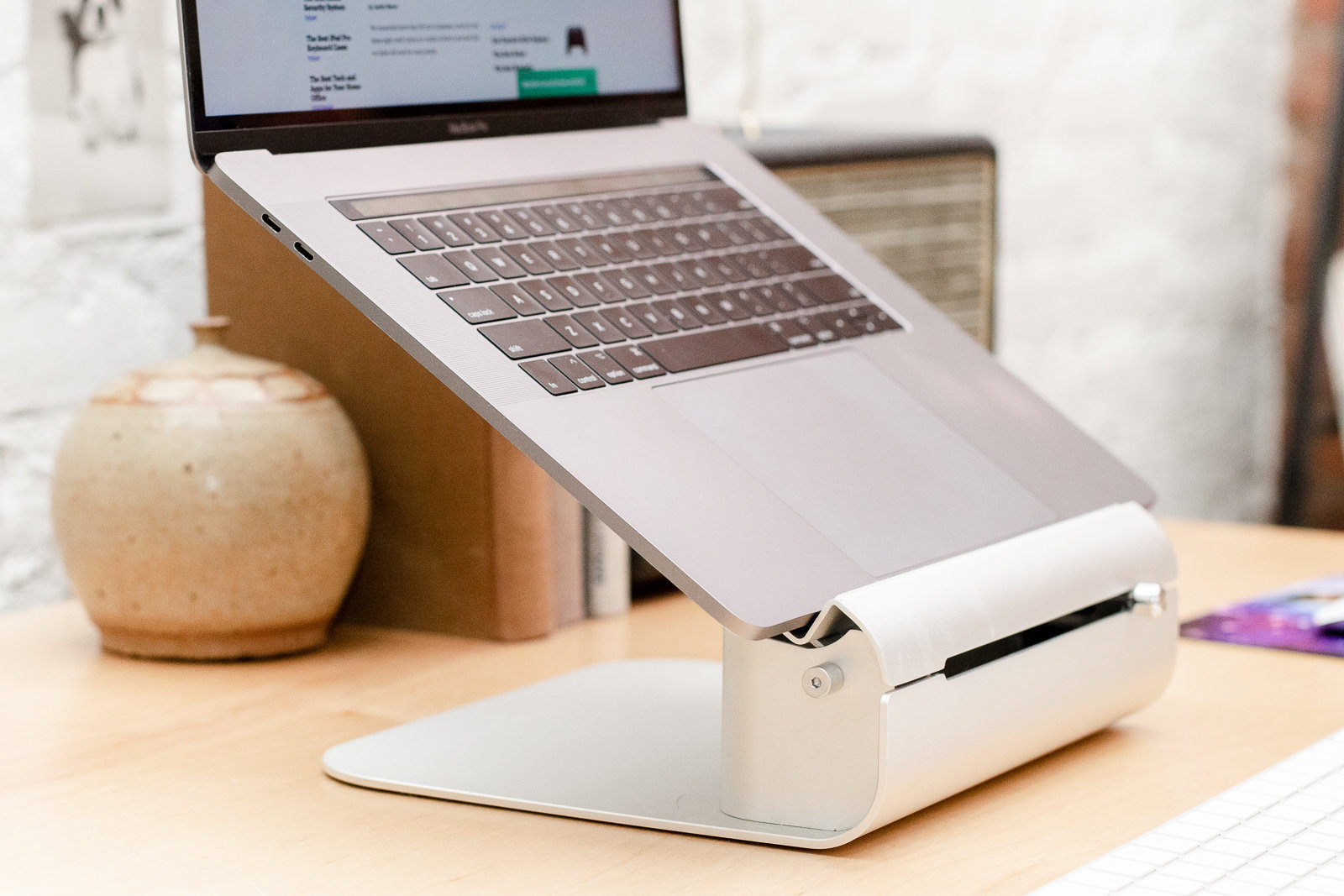
The iLevel 2’s open back is a good place to stash ugly wires. Photo: Sarah Kobos
The aluminum stand helps to conduct heat away from your laptop and looks stylish on your desk. The open-back design also provides a handy location to stash cables and other unsightly desk necessities; many cheaper stands are completely open and don’t have room to hide anything.
The biggest drawback of the iLevel 2 is its high price tag. But if you’re going to use a laptop stand at your desk every single day, it’s worth spending extra for one that allows you to adjust it to fit your exact needs, remains sturdy, and looks nice. Your neck will thank you.
Long-term test notes
Wirecutter staffers using the iLevel 2 in a coworking space say that the stand holds up fairly well over time—functionally, if not always visually. “The grippy plastic dots and strip that hold a laptop in place are a bit grubby and there are some light scratches on the front of the stand,” said lead editor Kimber Streams, “but the sliding mechanism for raising and lowering the stand is still sturdy and smooth. Its sliding mechanism makes it a bit harder to clean than the simpler mStand, but some multipurpose cleaner had it looking nearly as good as new.”
Budget pick: Rain Design mStand
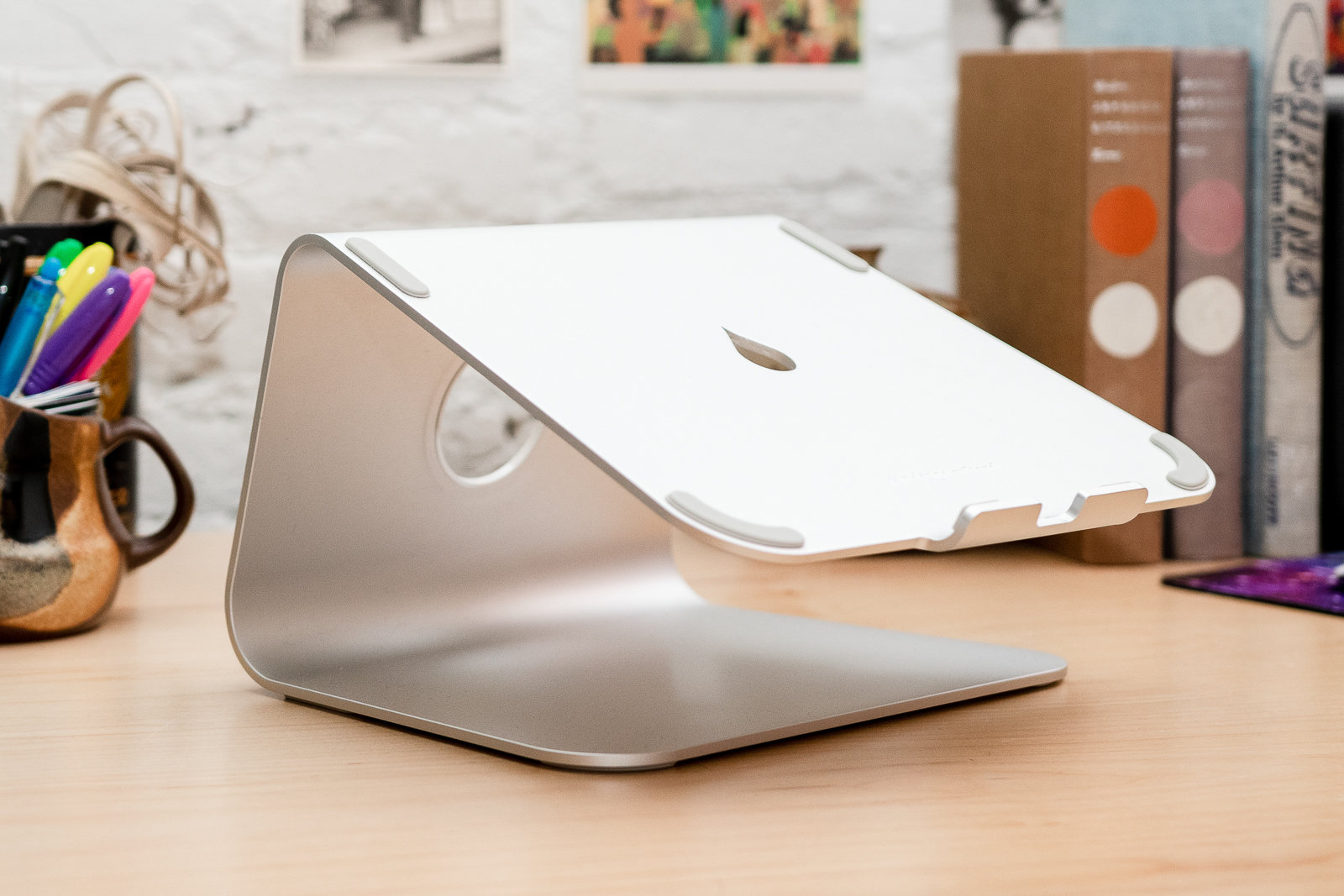
Photo: Sarah Kobos
If the iLevel 2 is too expensive but you want a fixed stand that looks nicer than a stack of books, the Rain Design mStand is a great option. This stylish aluminum stand feels sturdy and has a hole for cable management plus a nook to stash a keyboard, but it isn’t adjustable like the iLevel 2 and Roost. It’s available in three colors: gold, space gray, and silver. Though it isn’t dramatically less expensive than our top pick, we couldn’t find any fixed stands under $40 worth recommending—you’re better off going with the free solution until you can afford one of our picks.
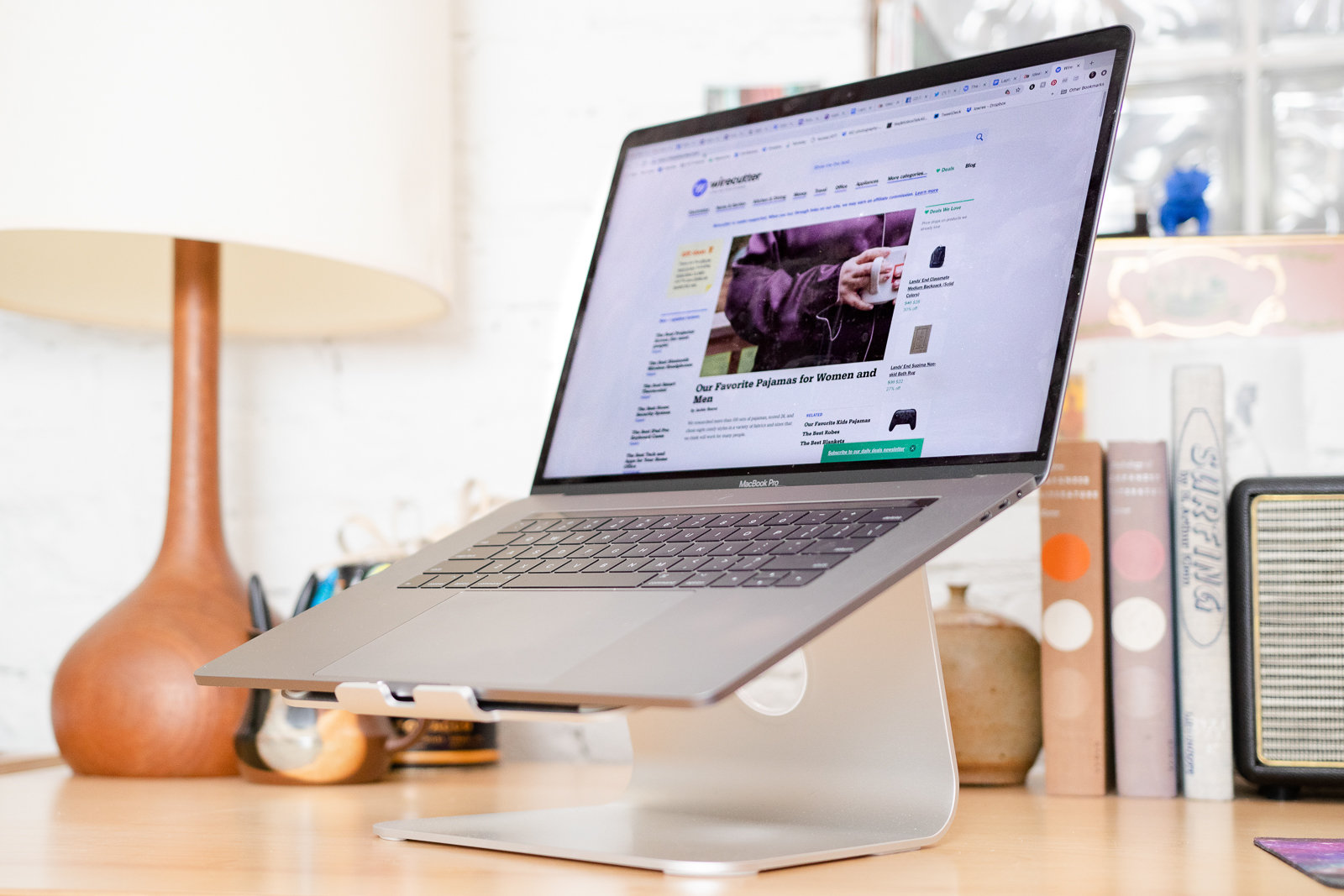
The mStand has a sturdy build and leaves room underneath the laptop for you to stash your keyboard and mouse. Photo: Sarah Kobos
The mStand raises the back end of a laptop about 5¾ inches off the desk (again, this can vary a bit depending on the size of your laptop), which puts the screen at roughly the right height for most sitting people. You won’t be able to tweak it to fit your height, laptop, and workspace, but using it is certainly better than using your laptop flat on a desk. If you or your laptop are particularly tall or short, though, you’ll be better off with an adjustable stand.
Long-term test notes
“I’ve been using the Rain Design mStand to hold a laptop next to my monitor on a monitor arm for a couple years, and it’s been excellent,” said Wirecutter lead editor Kimber Streams. “It shows no signs of wear and looks as nice as the day it arrived. It’s ideal for a secondary screen that I glance at occasionally that doesn’t have to be at exactly perfect ergonomic height.”
Also great: Roost Laptop Stand
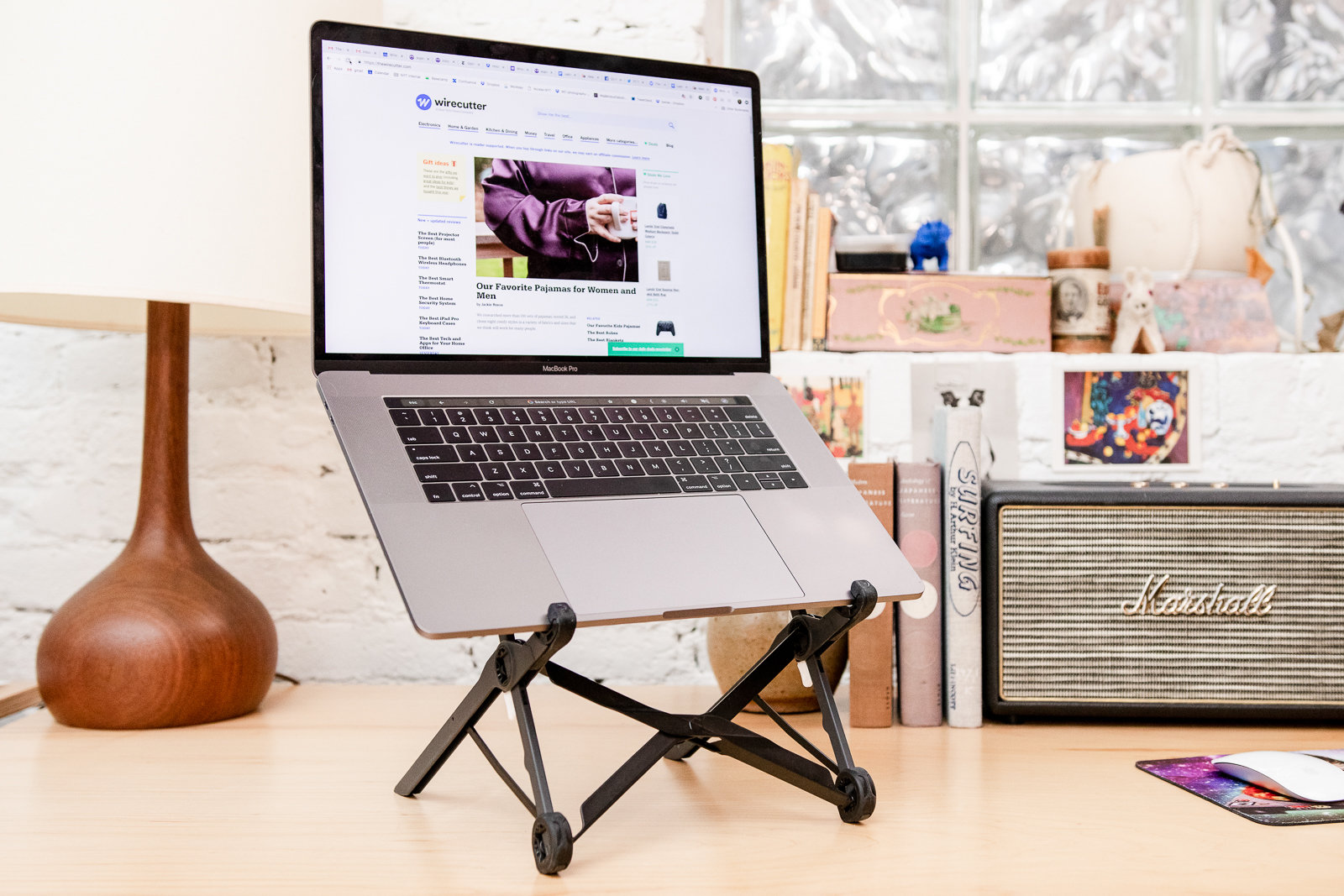
Photo: Sarah Kobos
If you work while traveling, or if you commute between multiple workspaces and want a stand to use both at home and at your destination, we recommend the Roost laptop stand. Like the iLevel 2, the Roost is rock solid and adjustable. Plus, it’s quick and easy to set up and break down—this model folds down to roughly the size of two large Snickers bars end to end, and you can easily throw it in a bag to take it wherever you’re headed for the day.
The Roost can raise a laptop a bit higher than our other picks. Its lowest point is about 7¾ inches off the desk, while its highest is around 10 inches. That’s roughly the same adjustment range as the iLevel 2 but with about 2 inches of added height across the range, so it’s a better option for tall people. Comparatively, the Nexstand—our other portable pick—can dip your laptop lower than the Roost (to 5½ inches) or raise a laptop as high as the Roost does, to 10 inches.
But the Roost’s height is more difficult to adjust than the iLevel 2’s: To lower the Roost, you must press the white latches behind each pillar with your index fingers and then gently press down until the stand goes down one or two notches. (Roost’s directions say you can make this adjustment with the laptop on the stand, but doing so made us nervous about the expensive laptop, and we wouldn’t recommend it.)
Raising the stand’s height level—either to get a higher viewing position or to fold the Roost back up after you’ve lowered it—requires at least two hands and some practice, unlike the iLevel 2 model’s simple sliding knob. The easiest way we found is to anchor your index fingers on the white latches and brace the bottom rubber stands in your palms. Then press in on the white latches, push upward with your index fingers, and gently squeeze your palms together to close the stand.
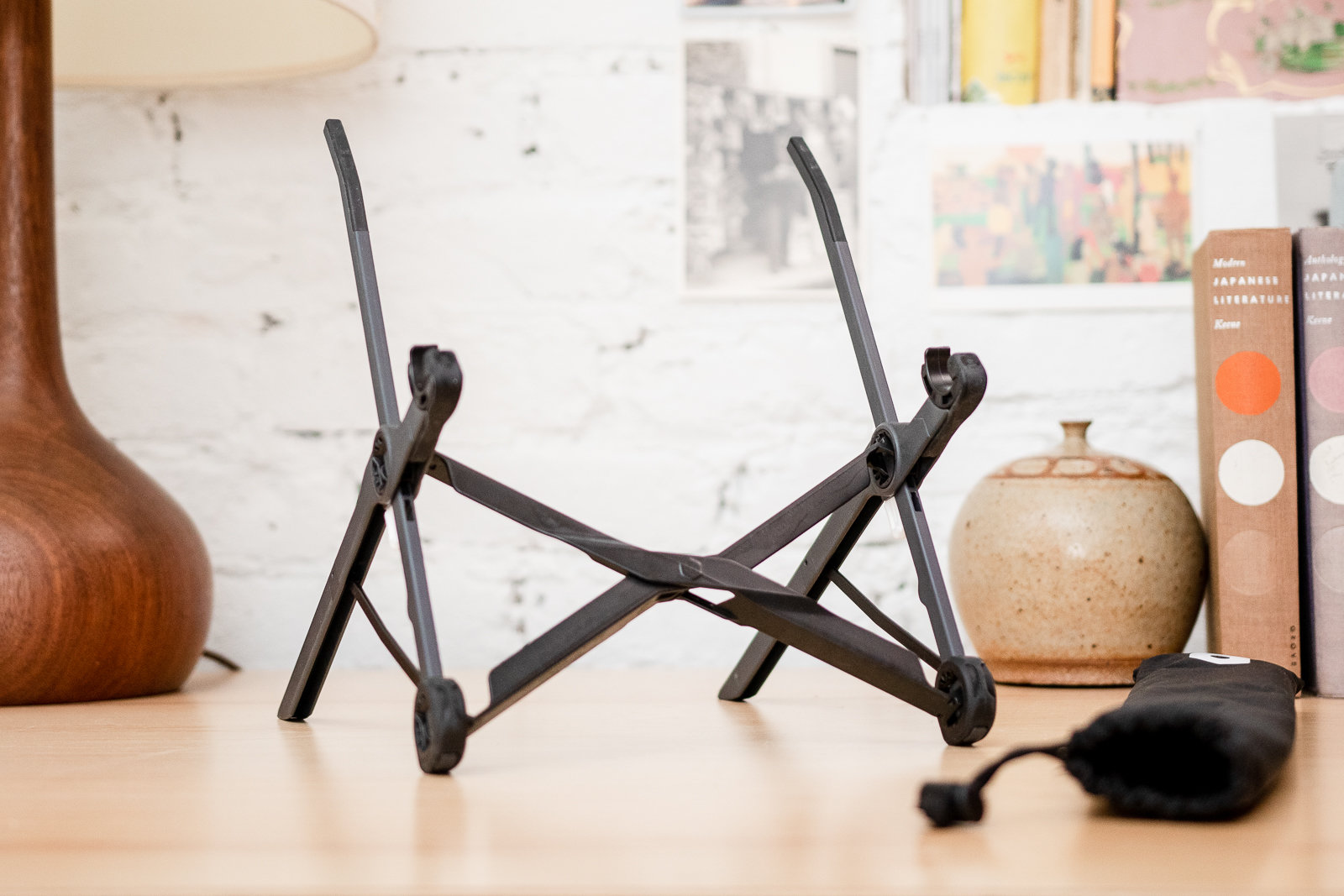
The Roost’s rubber feet and laptop grips prevent your laptop from wobbling. Photo: Sarah Kobos
Because portable laptop stands fold up or break down for transport, they’re usually not as stable as desktop stands. In our tests, however, the Roost was stable and well-balanced, even with 15-inch laptops that weighed over 5 pounds. The stand’s rubber feet and laptop grips minimize vibration and hold the computer firmly so that it doesn’t slide around or shake when you type.
When folded, the Roost measures just 13 inches long and 1¼ inches by 1¼ inches thick, which makes it simple to throw in your backpack or bag. The Nexstand, our budget portable pick, is a little bigger than the Roost, which may make it less convenient for traveling; it measures 14 inches long and 1½ inches by 1½ inches thick when folded. The Roost is noticeably lighter than its cheaper counterpart, too, weighing 5.8 ounces compared to the Nexstand’s 8.8 ounces.
The Roost is lighter and easier to transport than the other portable options we looked at; it also requires fewer steps to fold out or up. To unfold the Roost, you just pull the two rubber feet apart until they stop.
As with the iLevel 2, the biggest drawback of the Roost is its price. At around $75 as of this writing, it isn’t cheap. But if you often work at a laptop while traveling, it’s worth the cost to save your neck and back.
Long-term test notes
Wirecutter staffers think the Roost looks a little odd but praise its functionality both at home and while traveling. “I like that it holds my laptop firmly, at a good angle, without adding a lot of visual bulk to the desk,” said senior editor Nathan Edwards, who primarily uses the Roost on his desk at home. “Most people, when they see the Roost come out of its sleeve, make a confused face,” said senior staff writer Kevin Purdy, “But it’s earned its place in my work-from-anywhere toolkit. It’s never felt like it’s going to drop a laptop, even a heavy business model. And the shape and protective sleeve mean I can usually fit it into any backpack, no matter how stuffed.”
Also great: Nexstand Laptop Stand
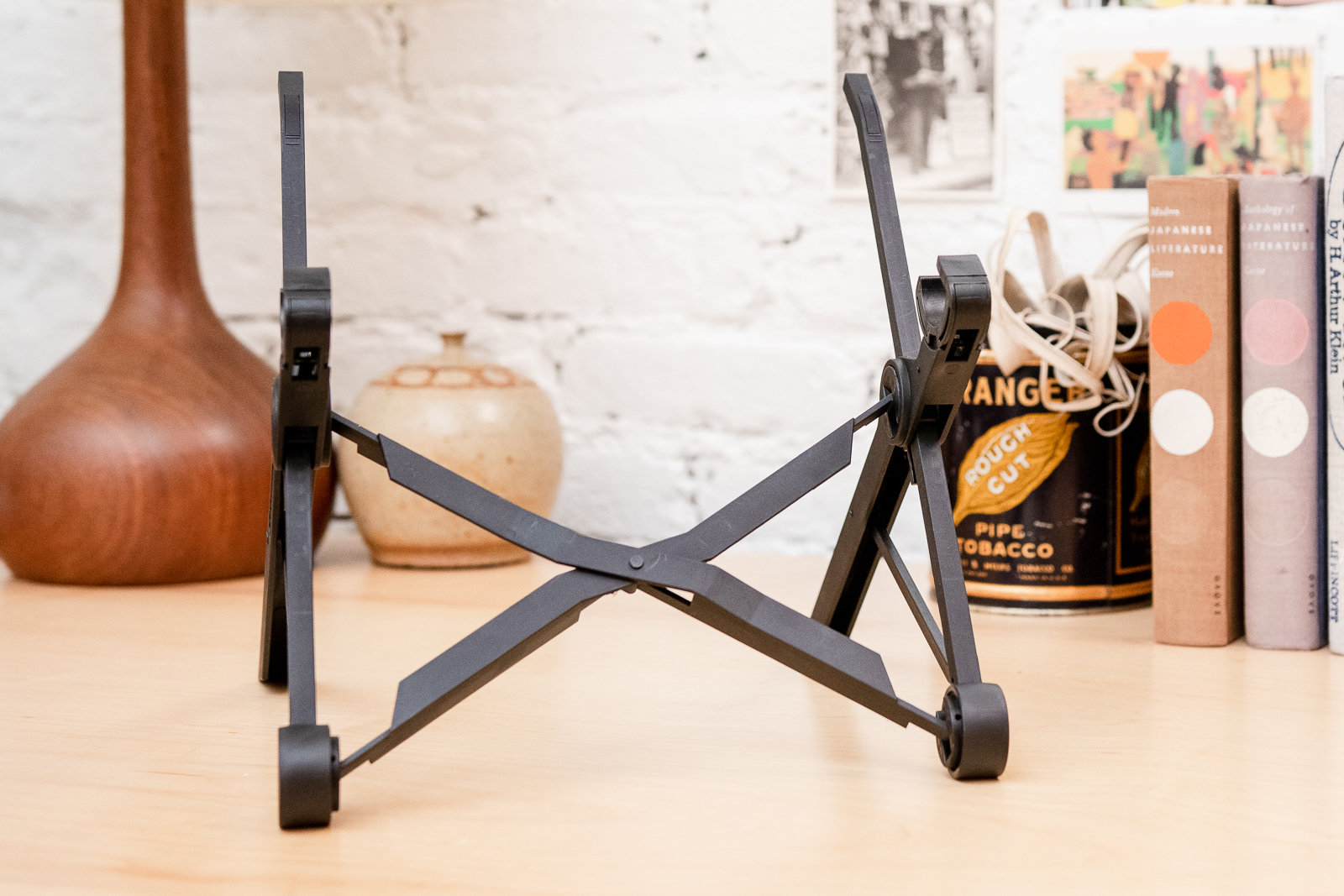
Photo: Sarah Kobos
If you can’t afford the Roost laptop stand but you often take your laptop between the office and home, or anywhere on the road, we recommend the cheapest collapsible laptop stand we tested, the Nexstand Laptop Stand. It’s similar to the Roost in design, height, and adjustability, and it’s stable and comparably simple to set up and break down. But its height settings aren’t clearly delineated, though the Nexstand is secure once it’s set up. It’s also about an inch taller than the Roost when it’s folded, a quarter-inch thicker, and a few ounces heavier.
The Nexstand can raise your laptop anywhere from 5½ to 10 inches off of your desk. Photo: Sarah Kobos
The Nexstand can raise your laptop 10 inches, as high as the Roost can, and it can lower your laptop to 5½ inches, while the Roost can only lower your laptop to 7¾ inches; we don’t think this is an advantage for many people, though.
Using the Nexstand is a similar experience to using the Roost: in order to lower and raise the stand’s height, you’ll have to use both hands to pull both latches on its legs simultaneously. Like the Roost, we found that the easiest way to adjust the laptop stand was to anchor your index fingers on latches and hold the stands in the palms of your hands and then push the latches inward and push up or down.
Although we found it annoying to customize the height of every portable laptop stand we tested, the Nexstand offered the worst experience by far. Even though it has six height settings, twice the number of settings that the Roost offers, they’re not clearly demarcated from one another. It’s hard to tell when the stand has locked into a new height, which makes us anxious.
It’s simple to open up, though—you just pull its two legs, which are sitting next to each other when the stand is folded up, apart. You’ll have to pull on its latches to snap it into a position and give the stand a wiggle before placing your laptop on the stand to make sure it’s locked in place. Once locked in, the Nexstand feels sturdy—though a little wobblier than the Roost—and we didn’t encounter any issues during our testing.
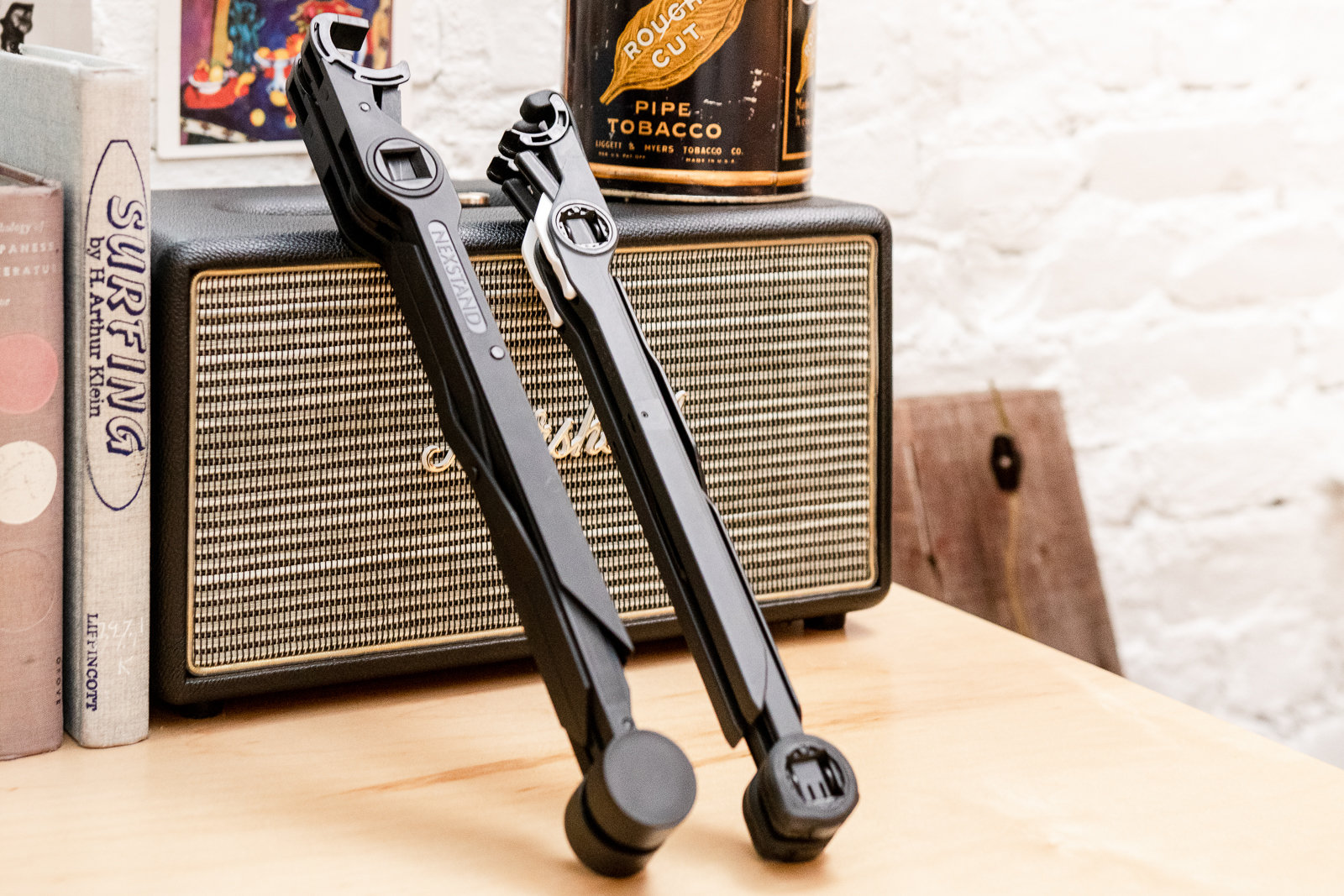
The Nexstand (left) is about an inch longer than the Roost (right) when collapsed. Photo: Sarah Kobos
When folded, the Nexstand measures 14 inches long and 1½ by 1½ inches thick. It’s about an inch taller than the Roost, which folds to 13 inches long and 1¼ by 1¼ inches thick. The Nexstand is pretty light and easy to carry around in a tote bag or a backpack, though it’s notably heavier than the Roost; while the Roost weighs 5.8 ounces, the Nexstand weighs a comparatively heftier 8.8 ounces. Both are easy to carry around, though the Roost is noticeably lighter and more compact.
The cheapest option: Using stuff you already own

Photo: Sarah Kobos
If our other picks are too expensive, we recommend the ultimate budget option: a stack of books. Using books is just as effective as using a fixed-height laptop stand, and you can tailor the height to fit your ergonomic needs by adding or removing books. You can also customize the size, shape, and color, or create a cleverly themed collection of titles. We recommend using wide, flat books for stability, so gather your old textbooks and coffee-table books.
When setting up your stack of books, remember that you want your eye level to fall 1 to 2 inches below the top of your screen. And if you switch between sitting and standing, you may want to have a book or two on hand to swap in and out of your setup to account for different desired heights.
The competition
Adjustable Laptop Stands
The foldable Rain Design mBar Pro+ doesn’t lift the laptop as high as most of our other picks, nor is it adjustable. The only stand it’s comparable to is the mStand, which costs about $20 less. It is very easy to fold into a large but nearly flat design, though, which may prove useful to some people, depending on their preferences.
The AVLT-Power Aluminum Laptop Stand Riser is adjustable and offers a good range of heights. But it’s extremely difficult to adjust the angle on the stand.
The Allsop Redmond Adjustable Curve Laptop Stand is difficult to adjust, has a limited range, and doesn’t look as nice as our other picks.
The AmazonBasics Ventilated Adjustable Laptop Stand is huge and takes up too much valuable desk space. Plus, its black-metal mesh looks cheap next to the sleek aluminum of the Rain Design options.
Adjusting the Furinno Adjustable Vented Laptop Table, another gigantic model, requires tweaking six knobs to configure it into a shape that might hold your laptop without tipping over.
Aidata’s LHA-3 laptop stand has little range, feels unstable, and looks cheap.
The Goldtouch Go portable stand offers five height options but a range of only 1¾ inches. It doesn’t raise a laptop as high as the Roost, and it weighs more than twice as much. It’s also unintuitive to set up and break down, requiring five steps versus the Roost’s single motion.
The Ergotron Neo-Flex Notebook Lift stand has a similar height range as our top pick, the Rain Design iLevel 2. But the Ergotron is bulky and ugly, and just as expensive.
Fixed Laptop Stands
The Twelve South Curve is neither adjustable nor foldable, and it’s a perfectly fine laptop stand. It’s more expensive than the Rain Design mStand by about $20, though, so we think the mStand is the better choice for most people.
The AmazonBasics Laptop Stand is similar to the Rain Design mStand and costs half the price, but it’s uglier—it looks like a library bookend bent into a U shape—and less stable. The stand’s rounded back and shallower slope don’t provide enough support for 15-inch laptops, which in our tests tilted dangerously off the back of the stand. If you want to save money by going for a fixed stand, we recommend using a stack of books instead of buying this.
The Elago L4 Stand is an elegant-looking laptop stand, but it lacks cable management and isn’t any more effective than the less-expensive mStand.
The Rain Design mBar and the mBar Pro are neither adjustable nor foldable, and they only lift your laptop 2½ and 3 inches in the back, respectively.
This guide may have been updated by Wirecutter. To see the current recommendation, please go here.
When readers choose to buy Wirecutter’s independently chosen editorial picks, Wirecutter and Engadget may earn affiliate commissions.